Data Sets
Data Sets are defined in either JSON or CSV and are used to dynamically inject data into Requests during testing.
JSON versus CSV Data Sets
JSON has advantages over CSV when it comes to data types. Values can not only be strings, but also be numeric, null, or objects. If you have conditional properties or variable data structures, JSON is going to be a better choice than CSV.
CSV values are limited to a list of key-value pairs of strings. If you are not worried about data types and/or have a long list of test scenarios, CSV files may be easier to maintain.
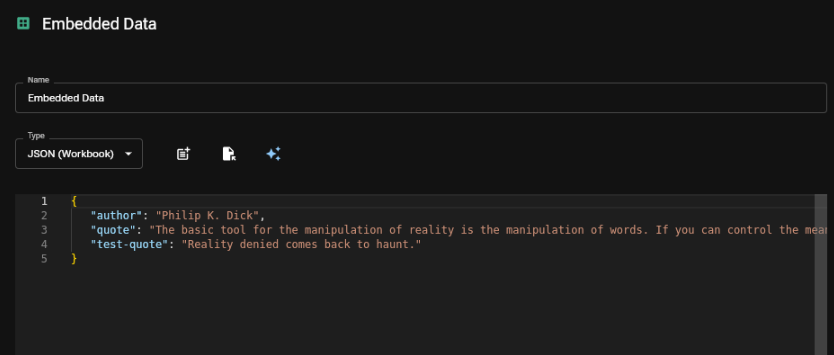
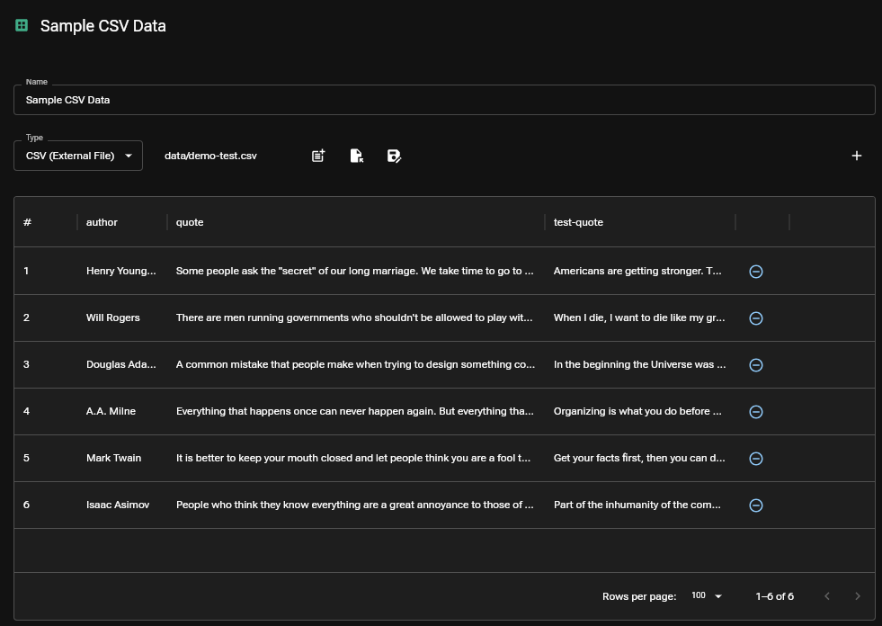
When switching from JSON to CSV, all data types will be converted to strings. In the case of hierarchical objects, they will be converted to JSON strings.
Workbook versus External File Data Sets
JSON can be stored directly in a Workbook or an external file, CSV can only be stored in an external file. Storing data set JSON in workbooks is simple to distribute and easy to track changes via version control. External files may be preferable if your data sets are large and/or regularly exported from other systems.
When linking to an external file, that file must live in the same directory or a child directory of the saved Workbook.