Request Groups
Info Pane
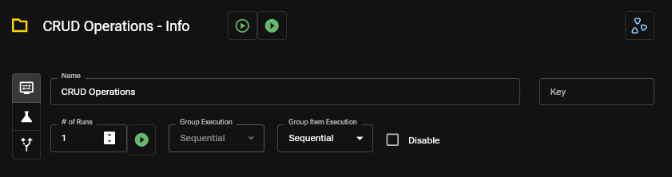
Use this pane to set basic information about your Request Group.
Group Properties
- Name: Human-readable reference to the group
- Key: Optional identifier of the group in testing output (use this to reference test plan identifiers)
- # of Runs: The number of times the Group will execute (unless using the "Run Once" button)
- Group Execution: Specifies whether multiple runs of the group will run sequentially or concurrently
- Group Item Execution: Specifies whether children within the group will run sequentially or concurrently
- Disable: Disables the Group from being executed when running the workbook from the Apicize CLI or as a child of another group (it can still be executed directly in the UI)
For more information about executing tests, see Running Tests and Viewing Results