Authorizations
OAuth2 PKCE Flow Authorization
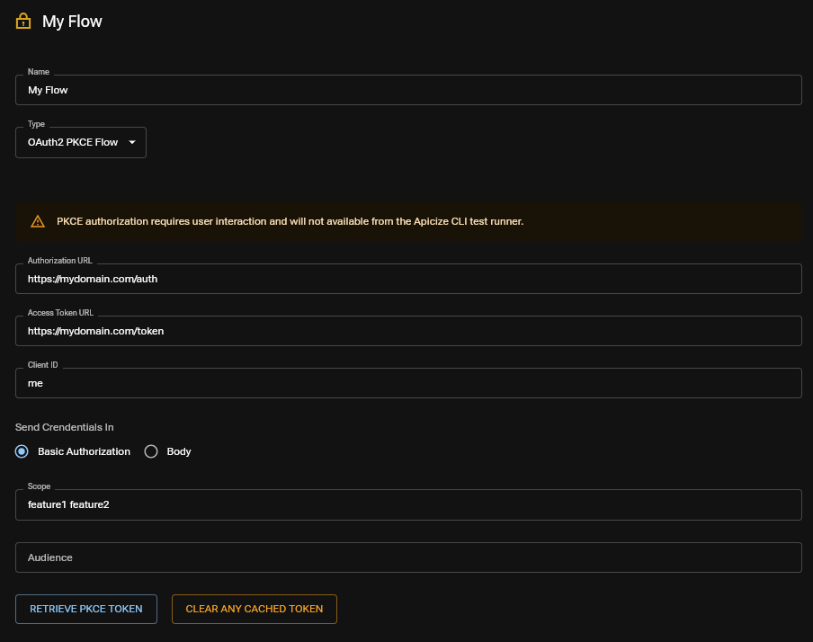
When authorizing using OAuth2 PKCE Flow, a browser window is displayed for the Authorization URL. Once the user successfully enters in their credentials and other two-factor authentication information (when applicable), Apicize can use that result to retrieve access and refresh tokens using the specified Access Token URL with the Client ID and Secret.
Optionally, you can specify a Scope. When associating an OAuth2 Client Authorization parameter, Apicize will automatically retrieve the token, and reuse it until either it expires, or you click on "CLEAR ANY CACHED TOKEN" in the Authorization's configuration.
The PKCE token flow will be initiated when executing tests on a Request or Group with a PKCE Authorization. Alternatively, you can click on "REQUEST TOKEN" to manually trigger the process.
Configuration
You can configure the port that Apicize listens for PKCE responses in settings
Limitations
- PKCE Authorization Only Works in the UI: Because PKCE authorization may require two-factor information that can only be known at runtime, user interaction is required. As a result, tests with PKCE Authorization will fail when using the CLI runner.
- No HTTPS: This mechanism does not support HTTPS. Most OAuth2 providers will be okay with this as long as the callback address is http://localhost, which this is.